LocalSend is a free, open-source local-network transfer app. I use it to move files between phones and computers without first uploading them to cloud storage. Both devices need the app and a network that lets them communicate.
Send the first file
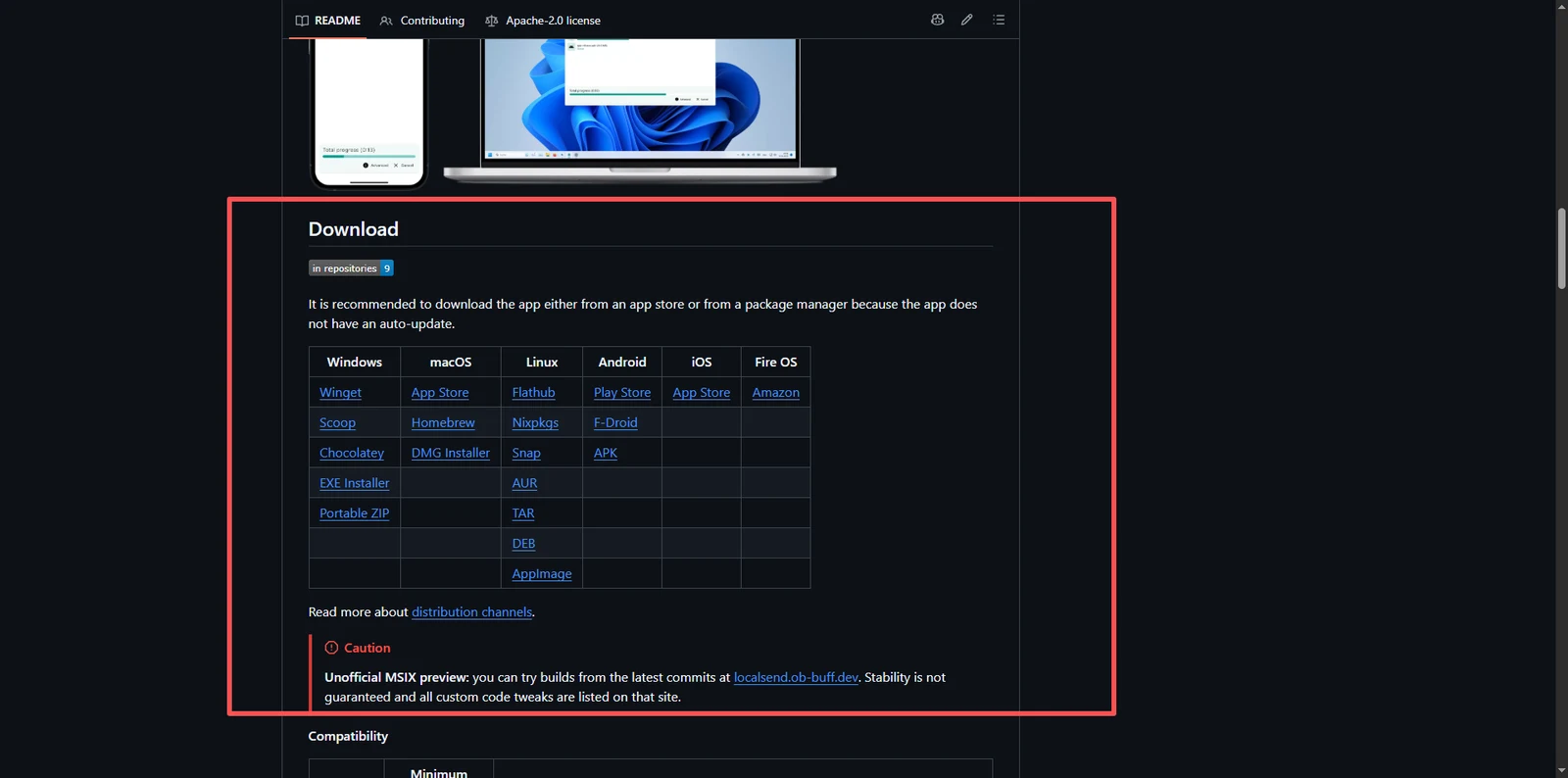
- Install the appropriate version from the official releases on both devices.
- Join the same local network. A guest network or separate subnet may prevent communication.
- Select files and the recipient on the sending device. Check the source and accept on the receiving device.
- Open the received files and check their names, count and contents.
When a device is not visible
Check that the app is running, local-network permission is enabled and the firewall allows the app. Router client isolation can block communication. If a VPN is active, check whether it permits LAN traffic. Manual sending to the recipient’s IP can help distinguish discovery problems from connectivity problems.
The official setup guide lists TCP/UDP 53317 for incoming traffic. Configure the required local access; forwarding a router port to the public internet is unnecessary.
When it fits
It suits nearby transfers of photos, documents and videos. It is not an internet cloud drive. See the project page for supported platforms.
Before sending large files, see Caesium for images or HandBrake for video.