
Flud is a torrent and magnet link downloader for Android.
Hand it a magnet link, a .torrent file or an RSS feed and it downloads on the phone. No account, no speed cap, and no computer left running overnight.
- It is free with every download feature unlocked (ad-supported; a one-time purchase removes the ads and adds Material You and a true-black theme).
- No speed limits on downloads or uploads, so you get whatever your connection gives you.
- Tap a magnet link in any browser and it opens straight in Flud, no copying and pasting.
- Pick only the files you want out of a torrent, and set priorities for files and folders.
- Sequential download lets a video play from the start before it has finished downloading.
- RSS auto-download, Wi-Fi-only mode, and both a light and a dark theme.
- Protocol encryption, IP filtering and proxy support, plus VPN binding that stops transfers the moment the tunnel drops.
- Any folder works as the destination, SD cards included, and Flud only gets access to the folder you pick.
How to use it
- Search for Flud on Google Play, or use the links below.
- The first launch asks for notification and storage permissions; allow them.
- Tap the plus button in the corner, paste a magnet link, or pick a .torrent file.
- Tick the files you want, choose where to save them, and start the download.
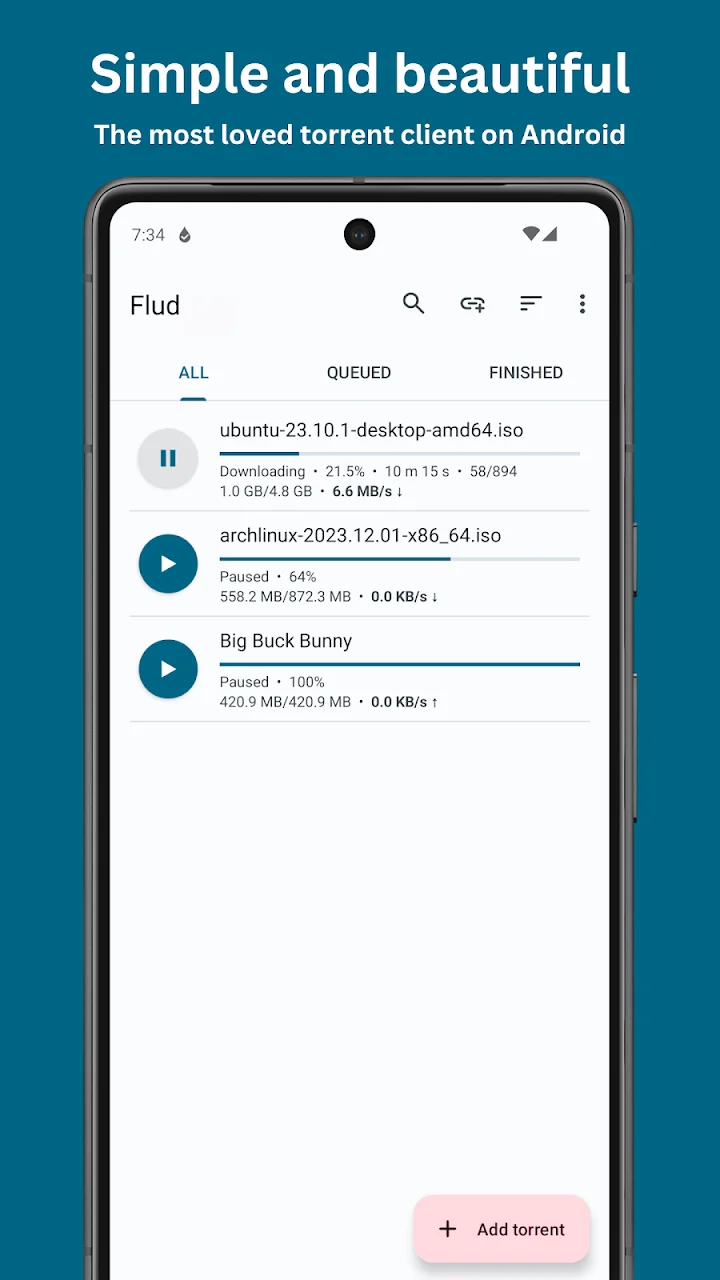
- The main screen shows speed and time remaining, and downloads continue in the background.
Google Play:
https://play.google.com/store/apps/details?id=com.delphicoder.flud
Official site:
https://delphisoftwares.com
On Google Play it sits at 4.6 stars with more than 10 million downloads, and it was still being updated in September 2026.
Out of 10, full marks — it is genuinely useful
Flud is only a client: it does not search for torrents or host any content, and what you download with it is your own responsibility.